Alelo · B2B Help Center
An AI-powered help center for the people who serve Alelo's clients
A knowledge hub inside Alelo's Backoffice, connecting what the whole company knows about its B2B products.
- Year
- 2026
- Company
- Alelo
- My role
- Senior Product Designer
- Duration
- 2 months
- System and platform
- Alelo Backoffice · Web
- Team
- 1 PO · 5 stakeholders · 1 back-end · 1 front-end · 1 QA
See my role in detail
Senior Product Designer
I was the Product Designer on the project, in a team with 1 PO, 1 back-end, 1 front-end and 1 QA.
What I owned
- Understanding the problem: how employees looked for knowledge about each B2B product.
- The proposal for the FAQ page, from scratch.
- Studying the best structure for it: systems, categories, products and journeys.
- Designing the page with the components of Rango, Alelo's design system.
What others owned
- The back-end and front-end engineers built and shipped it.
- The QA tested it.
If you only read one part
Proposed a knowledge hub inside the Backoffice, powered by generative AI and organized by systems, categories, products and journeys.
190
employees use it regularly, across 7 systems
Frequent users
How to read this number
Leadership gave positive feedback. Whether people find their answer isn't measured yet.
The problem
If the knowledge about each product sits in one place, organized the way the teams look for it, employees solve their questions on their own.
For the employees
- Knowledge about each product was scattered across teams.
- Employees had nowhere to answer their own questions.
- They had to find what they needed inside a huge B2B portfolio (GBA, PME, Corp, Portal, Backoffice, Acelera, OMIE…).
For the business
- Information about what already existed, and about what was added later, didn't reach everyone.
- A hub inside the Backoffice, with generative AI and collaborative upkeep across teams.
- Cover every B2B product so each person finds what they need: the biggest challenge was the architecture.
See more details
Challenge
Alelo has a huge B2B portfolio (GBA, PME, Corp, Portal, Backoffice, Acelera, OMIE…), and knowledge about each product was scattered across teams. Employees had nowhere to help themselves.
How I found it
Saw the opportunity because nothing was centralized: things got lost, and people had no access to what already existed or to what was added later. Suggested an FAQ, and it kept evolving into the help center it is today.
How I solved it
Proposed a knowledge hub inside the Backoffice, powered by generative AI, organized by systems, categories, products and journeys, and maintained by the teams themselves. Built it with Rango, Alelo's design system, and created a new component that went back into it.
What I did
I spotted the need and proposed a knowledge hub inside Alelo's Backoffice, powered by generative AI, organized by systems, categories, products and journeys, and maintained collaboratively by the teams. The hardest part was the architecture: covering every B2B product so each employee could find what they need.
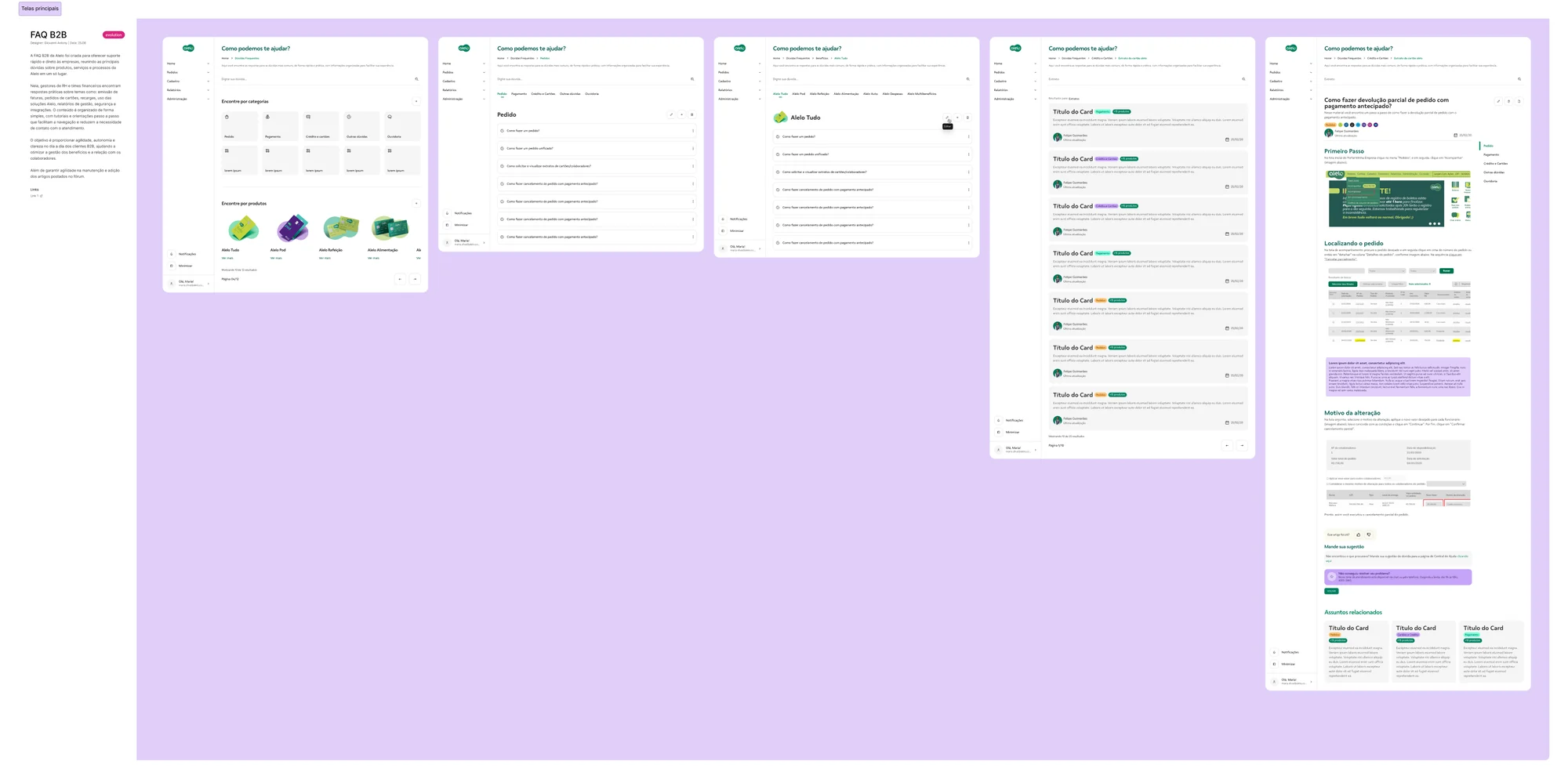
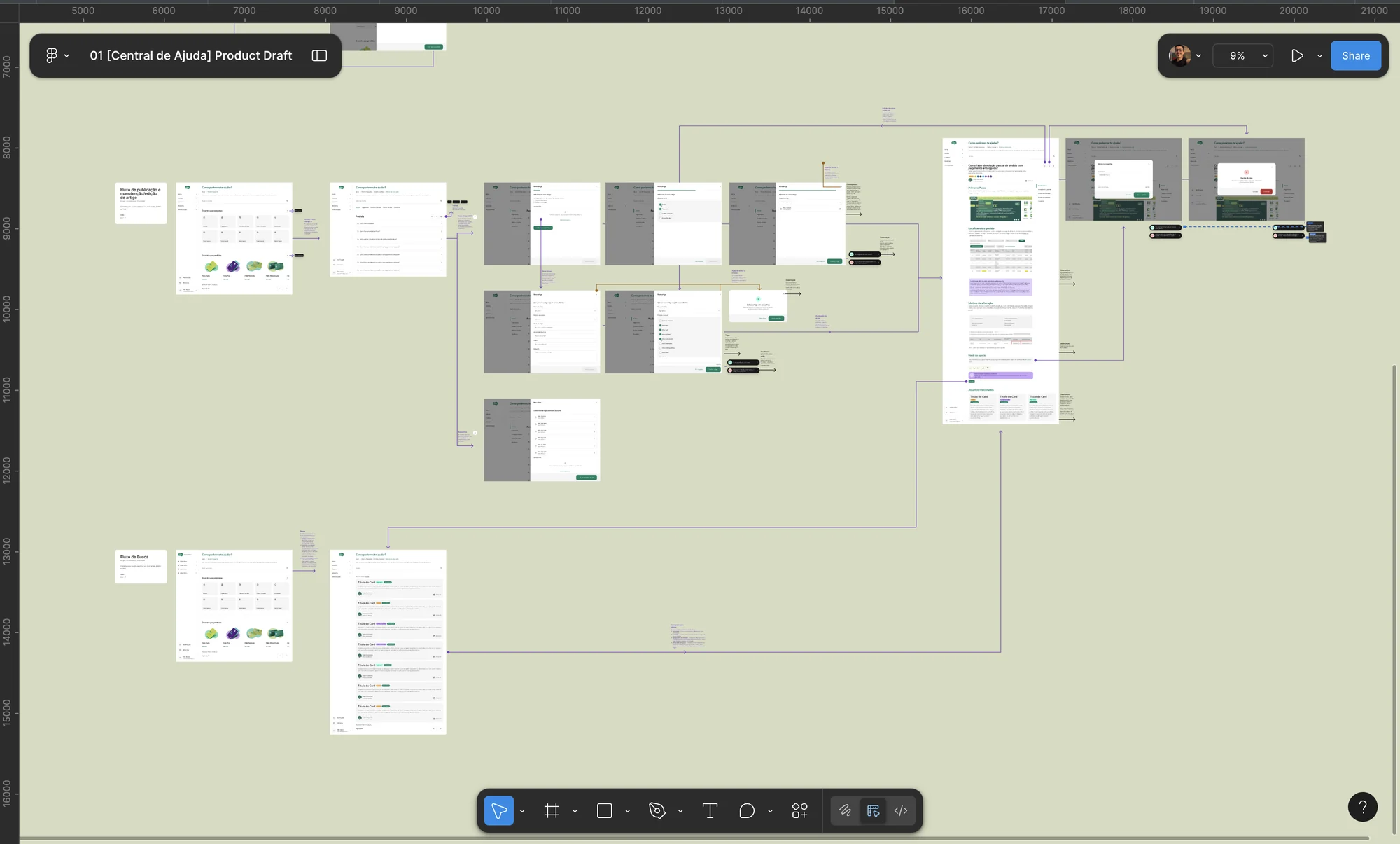
See more details
Design system contribution
I created a component that went beyond the team library and made it into Rango, the company's design system. It was later reused in other Alelo products.
The solution
- 01
A hub inside the Backoffice
Organized by systems, categories, products and journeys, with generative AI.
- 02
Search, categories and products up front
The hub's home puts everything in view from the start, so each employee finds their way.
- 03
Questions editable by the teams themselves
Upkeep is collaborative: whoever knows the product maintains the answers. 190 people use the hub regularly, across 7 systems.
- 04
A component that became the design system's
I created a component that went into Rango, the company's design system, and was reused in other Alelo products.
The help center, screen by screen
A clickable prototype: pick a screen, or move through the help center the way the product does, by clicking a category, a question and "Voltar" (back). Scroll inside the iPad to see each screen in full. The screens are in Portuguese, as the product is.
Search, categories and products right at the entrance, so every employee finds their way.
How I validated it
No usability test with the people who use it. Validated with stakeholders, who praised the work and saw it as a big step forward, and with engineering, who agreed because everything was built in Rango, which keeps the build simple.
Delivery highlight
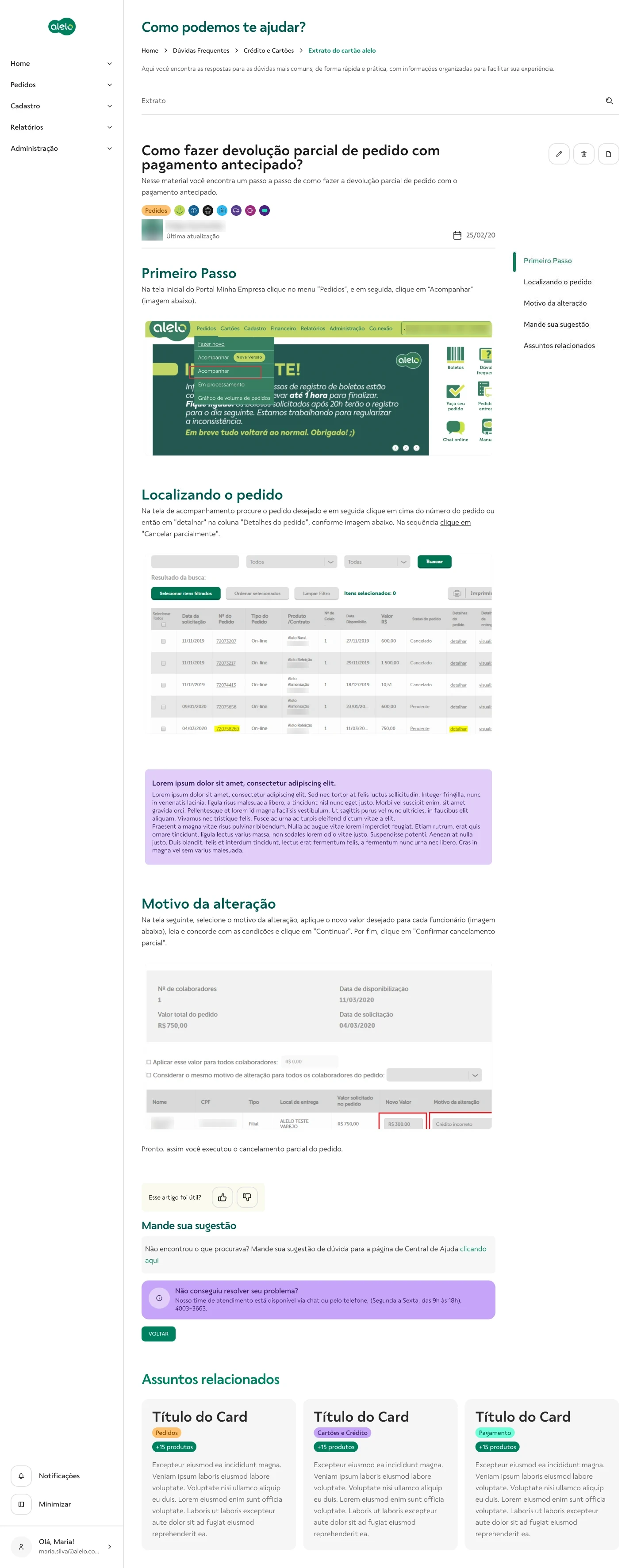
An article screen of the help center: the content in blocks and, beside it, an index that follows the scroll and jumps straight to each block.
Zoom
An index that jumps straight to the block
Why this detail
Articles are long, with step-by-step instructions and images. The index sits beside the text, follows the scroll, marks which block the reader is in and jumps to any of them. Someone who already knows what they need doesn't have to scroll the whole article.
The impact
190
employees use it regularly
7
systems covered
Rango
new component in Alelo's design system
How to read these numbers
Leadership gave positive feedback. Whether people find their answer isn't measured yet.
Metrics I would look at next
- 01Searches that end in an opened answer
- 02Searches with no results
- 03Time to find an answer
See more details
Result
190 employees use the help center regularly, across 7 systems, with positive feedback from leadership.
What I would do differently
- 01
Track whether people found their answer, not only how many use it: 190 is a count of frequent users, and the result so far is positive feedback from leadership.
Sometimes the most overlooked user is the employee. Looking inward created a product that helps the people who serve the end client. And a well-solved component can leave its project and become an asset for the whole company.